Mobile Forex Trading
While many forex traders still prefer the desktop setup with one or more large screens at their disposal, the number of forex traders who engage with the markets using nothing by their mobile phone or tablet is growing. This is especially common among novice micro traders, who want to dip their toes into to the waters and develop a viable small-scale strategy before they commit resources to a more advanced setup. There are also fx traders who combine both worlds; they have a desktop set up at home or in the office, but can also use a mobile device for trading and account management when necessary.
Many traders use a mobile app for convenience, e.g. checking positions between meetings, receiving alerts, or managing an existing trade while on the move. For active intraday traders who rely on minute by minute order flow, mobile is usually a supplement rather than a primary execution platform. For swing traders and position traders, mobile can be the main interface because trade frequency is lower and the need for looking at advanced charts while also executing trades is reduced. With that staid, many swing and position traders still prefer to use the more comfortable large-screen setup at home to actually execute trades. Since their strategies do not rely on super-quick moves, and they are likely to have stop loss and take profit orders in place, they rarely find themselves in situations where they need to jump on the phone and execute something right away.
Mobile forex trading means executing and managing trades on a smartphone or tablet rather than on a desktop terminal, but the market mechanics are the same. The same forex pairs, leverage, and order types exist in both environments, but the experience differs because of screen size, input method, connectivity, and operating system limitations. On mobile, you trade with touch controls, have less room to display charts, and are more likely to run into variable network quality. You can mitigate some of the issues by opting for simpler workflows, pre-configured order templates, and heavier reliance on automated order types.
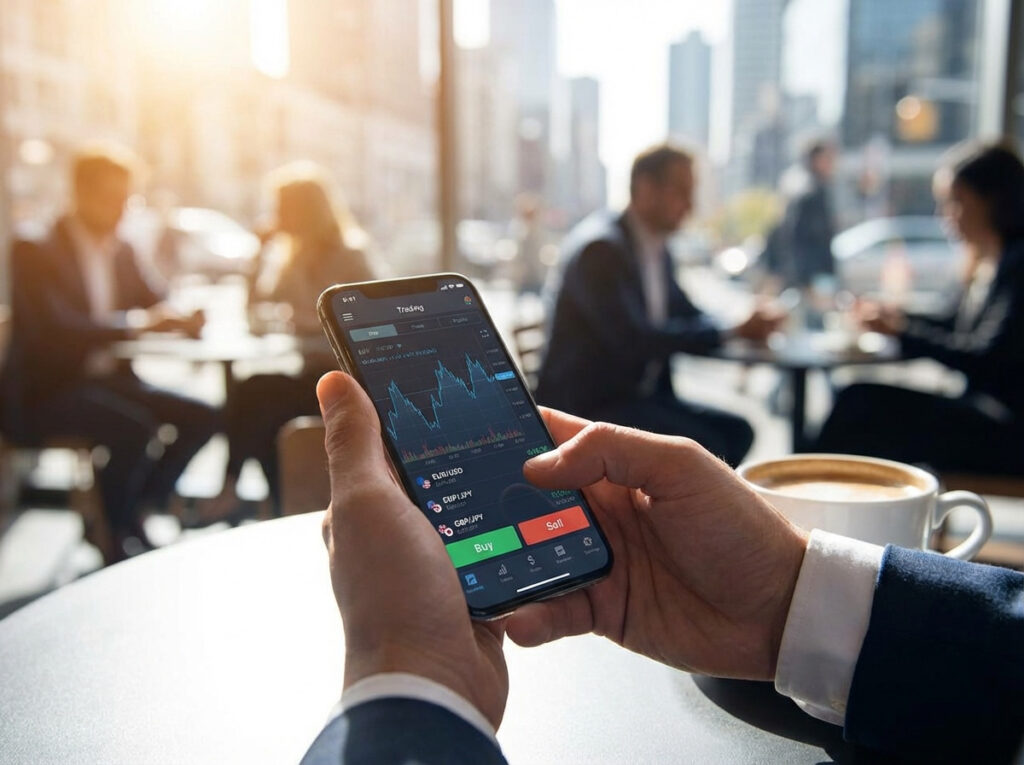
Generally speaking, mobile devices are good at keeping you connected and informed, but their small screens and touch-controls are not superior for detailed analysis and complex order management. Expect mobile to perform best when it supports a clearly defined plan that you created using a large-screen setup. Mobile is best viewed as a control surface for a defined plan you mostly construct on a larger workstation; it is not a drop-in replacement for a multi-monitor desktop when your strategy requires fast manual layering, complex option structures, or deep order-book reading.
Choosing the right mobile trading app
Regrettably, a broker and trading platform that works great on a large screen can turn out to have a horrible interface in the mobile trading app, and this is important to keep in mind. If the mobile app is clunky or unsuitable for your preferences, don´t bend over backwards to force yourself into using it. In some cases, it is simply best to stay away.
Not all mobile trading apps are created equal, and factors such as the quality of market data, execution latency, available order types, and the broker’s routing policy can differ a lot. Before risking any meaningful capital, test the app in realistic conditions. Place limit and market orders, check the speed of fills, simulate slippage scenarios, and verify withdrawal processes. Prefer brokers that publish clear execution metrics and that offer the same set of order types on mobile as on desktop. If you need fast bracket orders, trailing stops or one cancels the other logic, confirm those work reliably in the app before assuming they do.
Also pay attention to how the app displays spread and slippage in busy sessions. Some apps mask widening spreads or delay quote updates during volatility which can create an illusion of tighter costs than you actually pay. With that said, this is in no way unique to mobile app trading; it is just something we always need to be on the look out for, regardless of setup.
Execution constraints and order management
A key limitation of mobile is control precision. Typing exact stop distances, managing multiple entry orders, or scanning dozens of watchlists can be awkward on a phone. The screen is small and you are using touch-controls.
You can mitigate the issues somewhat by using preconfigured templates for order size and risk per trade so you don’t manually enter mistakes. Use bracket orders when possible, since they remove the need to manually close winners and place stops under pressure.
You can also purchase a key board that connects with your phone, if your phone and the mobile app allow for this type of solution. It will probably not be something that you connect when you are checking stock prices while in line at the supermarket, but it can come in handy for traders who travel without their laptop and have time and space for a keyboard during downtime in the hotel room.
Even with migrations, using a mobile phone for trading will not be as safe and comfortable as using a computer. If your strategy depends on quick, precise entries and layered orders, mobile alone will likely degrade performance in a significant way. Some traders resolve the conflict by applying a combination approach: desktop for analysis and trade placement, mobile phone for monitoring, adjustments, and emergencies.
Connectivity, latency and real world testing
When you are out and about and can´t connect to your own WiFi, your mobile phone might not have the same high-quality connection to internet as the computer in your home. Mobile connectivity is inherently less stable than fixed broadband. This is something you need to take into account and investigate in advance, before big money is on the line. Mobile trading introduces exposure to network instability. A spotty connection, or entering a low connection zone, can mean missed fills and unexpected slippage, especially during a volatile news release.
Test how your app behaves when connectivity drops. Does it queue orders, does it reject them, does it show stale prices? Use it in the exact locations you plan to trade from, e.g. home, commute, office, favorite coffee shop, and camping in the forest. You need to know the behavior under different network conditions. Always test your trading app on the exact networks you will use, including cellular carrier, home Wi-Fi, and any hotspots.
Configure the app to display time-stamped quotes and to reject orders on stale data if that option exists.
Consider a small backup, e.g. a cheap second SIM, a portable wifi hotspot, or a remote VPS that can execute rules if your device disconnects. Those measures add complexity but they also reduce the operational risk of being reliant on a single mobile link.
What is a remote VPS and how can it be used as a back-up for traders?
A remote VPS (Virtual Private Server) is a small, always-on computer running in a data center somewhere and connected to the internet. You access it remotely (via SSH, remote desktop, or APIs), and it stays online regardless of whether your phone, laptop, or local internet connection is up.
A remote VPS is hosted by a cloud provider (AWS, DigitalOcean, Hetzner, etc.) and a high-quality VPS will run 24/7 with stable power and network connectivity. It can have its own IP address, and you can install trading software, scripts, or bots on it.
When your local connectivity drops (subway, airplane mode, rural area, ISP outage, etc), the VPS can continue monitoring markets and execute pre-defined rules. For risk management, it can close or hedge positions when the rules so stipulate. This reduces operational risk.
You decide which rules to set. Some traders do for instance program their VPS to tighten stop-losses and flatten exposure at a certain drawdown, if the VPS has detected that you are no longer connected from your mobile device. Example: “If account equity drops by 2% and no heartbeat signal is received for 5 minutes, close all trades.”
Typical VPS setup for a trader:
- VPS running on Linux
- Trading API connection (broker or exchange)
- Simple script or bot (Python is common)
- Logging + alerts (email, Telegram, SMS, etc)
- Optional “heartbeat” from your device
At the time of writing, a basic VPS suitable for a retail trader typically costs around 10-25 USD per month.
Interface design and reading charts on small screens
Charts and indicators that look sensible on a 27 inch monitor can collapse into unreadability on a phone screen. That forces simplification. If you analyze from mobile, design a condensed set of signals that are easy to check quickly. A clear price level, a trend slope, and one or two momentum filters. Avoid trying to overlay a dozen indicators.
Use timeframes that match your screen size. Intraday scalpers who work in seconds and frames under a minute will normally find a phone insufficient. Swing traders in hours, days, or even weeks can see the essential structure and manage positions effectively even on a phone. The point is not to replicate desktop complexity on mobile, it is to design a mobile friendly risk plan that the device supports.
Security and account safety
For most traders, mobile phones, pads, and laptops are more likely to be lost, stolen, or compromised compared to a desktop setup that sits at home. Because of this, be extra careful when it comes to security measures.
- Do not use public wifi for live trading. If you absolutely have to, tunnel through a reputable VPN.
- Only install apps from official app stores.
- Enable automatic updates for both the OS and the trading app.
- For Android apps, avoid granting “draw over other apps” and notification access to untrusted utilities because those can spoof app UIs or capture sensitive content. For iOS apps, minimise open-level integrations and review app privacy labels in the App Store.
- Disable automatic backups of wallet or credential files to cloud accounts you do not control.
- Use strong device security, e.g. biometric unlock or a secure lock code. Use hardware-backed biometric unlock where available.
- Protect the trading app with two factor authentication. Time based one time passwords are generally better than SMS. Using an authenticator rather than SMS when possible.
- Keep the device OS updated.
- Make encrypted backups.
- Be cautious about notifications that contain trade sensitive data.
- Disable any auto fill or password manager that might expose credentials.
- Treat withdrawal authorisations with the same scrutiny you use on desktop. A mobile app may offer convenient instant withdrawals, but do not pick any solution that will decrease security.
- Consider a separate device with limited non-trading apps for live trading to reduce attack surface from ad networks or malicious applications.
Mobile trading can be secure if you apply basic operational hygiene and use a reputable broker app, but phones create extra points of vulnerability compared with locked desktop environments. As mentioned above, it is smart o use both device-level protections and enable two-factor authentication for your broker account. Keep the trading app and the OS patched, avoid sideloading broker apps from unofficial sources, and be wary of public Wi-Fi without a trusted VPN. Hardware theft or malware can expose credentials, so treat mobile funds and credentials with the same conservatism you would apply to any high-value account. Stick to small on-device storage of balances, carry out withdrawals of idle funds to secure custody, and develop a habit of confirming critical operations from a second device when feasible.
Precautions
Before you commit any larger amount, run a staged protocol. First, set up demo trades to learn the app behavior. If you decide to proceed, fund a small live account to validate deposit and withdrawal processes. Test order fills at different times of day and under varying market conditions. Confirm support responsiveness through the in-app channels. Keep a written emergency plan that specifies a secondary contact method, an alternative broker login, and the steps to close positions if the primary app fails.
Since mobile trading introduces new types of operational risk, it can be a smart move to tighten position sizing and session limits. Establish hard risk limits for mobile trades (smaller position sizing, lower daily loss caps and conservative stop rules), at least until you have a reliable record of consistent fills and withdrawals. This includes using a smaller risk per trade than you would on a full desktop setup, at least until you are confident the mobile workflow is robust. Set hard daily loss limits and automated stops so emotional decisions under pressure are reduced. Test whether your app reliably enforces stop orders during high volatility. If you trade news events, be cautious, since mobile connectivity and widened spreads make execution outcomes more unpredictable. Many successful traders simply avoid trading around major releases unless using a desktop with direct market access and proven low latency.
Choosing a broker with mobile strengths
A good broker for mobile trading delivers a trading app that is actually suitable for trading on a small screen using touch-controls. Regrettably, many brokers still offer a shoddy and poorly adapted version of their desktop interface.
Of course, all the other necessities needs to be present as well, in addition to a good interface, e.g. consistent pricing, suitable instruments, and support for the order types your strategy needs. Look for brokers that publish execution quality. Also consider the broker’s margin policies for mobile (if applicable), because some brokers treat trades opened in mobile margin accounts differently when market conditions deteriorate. Read the fine print.
Check withdrawal and deposit mechanics on mobile, because some brokers delay withdrawals with additional checks when done from a mobile device. This is not a deal-breaker (it is actually increased security), but you need to be aware and know what to expect.
Customer support responsiveness via chat or call is crucial because you might need rapid intervention while on the move.
Battery, performance and background-process considerations
Trading apps can consume background data, keep sockets open for price streams, and may rely on background jobs for notifications or order state updates. On iOS, the system tends to manage background activity predictably. On Android, aggressive battery optimization can pause apps and stop real-time updates unless you explicitly exempt the trading app from battery savers. Monitor CPU and network usage periodically because hot charts and complex indicators drain battery rapidly and can force the operating system to kill the process, producing stale displays. Regularly close and relaunch your app to clear cached resources, and consider a dedicated device or a handset with good thermal and battery performance if you use mobile for frequent live trading.
App updates
App updates can improve security and performance, and they are important, but you should be aware that they sometimes introduce regressions. Before updating on a live trading device, read release notes and user reports. In mission-critical devices, delay updates for a short window to verify early adopter feedback.
Mobile app store policies
App store policies can affect availability. Regional restrictions or takedowns happen, and that can interrupt your access if you relied solely on that front end. Keep the desktop or a secondary mobile client as a fallback, and document API keys or login recovery procedures so you can re-establish access quickly if the official app is temporarily unavailable.
Strategy adaptation: what works on mobile and what doesn’t
Mobile suits strategies with clear rules and modest order complexity. Trend following on daily charts, swing trading on four hour frames, and longer horizon carry trades map well because they require less rapid order placement and more monitoring. News scalp strategies and complex option combos do not map well. If you are a intraday trader who relies on multiple monitors and custom scripts, mobile should be a monitoring tool and not the primary vehicle.
A commonly used technique is to design a checklist that converts desktop analysis to a mobile ready action plan. You need clear entry trigger, pre-sized position, defined stops and take profit points, and a rule for early exit or manual override.
Journaling, metrics, performance review, and staying on top of things
Mobile traders should keep the same discipline of logging trades as desktop traders. Use apps that export trade history and timestamps so you can analyse fill quality, slippage, and latency related losses. Track win rate, average win to loss ratio, and execution anomalies tied to network issues. Use structured learning and disciplined review. Journal every mobile trade with rationale, entry, exit, fill price and any operational anomalies, and review that journal weekly to identify patterns and execution costs unique to mobile. Over time, you will see whether mobile introduces systematic slippage or other problems that erodes an otherwise profitable strategy. If so, either change brokers or change how you use mobile, e.g. reduce trade frequency, increase stop distance, or switch up the strategy. You might also come to the conclusion that analysis and trading should be limited to the hours when you can actually sit in front of your desktop setup, if you have one.
Follow credible broker changelogs and mobile app user forums for practical tips on app quirks and updates, and use the demo environment extensively to test any change in device, OS or network. Over time, small operational improvements (preconfigured templates, disciplined alert rules, and an emergency fallback plan) compound into a materially safer and more reliable mobile trading routine.
Managing alerts
Notifications are useful but can also cause distraction and impulsive trading. Configure alerts to avoid being overwhelmed. Among other things, you can limit them to critical levels you predefine as trade triggers, such as breakouts beyond a level you already analyzed, rather than generic volatility pings. Use distinct tones or vibration patterns for truly urgent alerts and route non-urgent notifications (news summaries, account marketing, and similar) to an off mode. Many experienced mobile traders split responsibilities. They use the phone for receiving alerts and for emergency management, but only act on alerts if they match pre-planned setups that have been analyzed and tested on desktop and documented in the trade plan.
Practical tips
- If the app freezes, resist the urge to repeatedly hammer the order button because that can create duplicate executions once the connection resumes. Instead, pause trading actions, take a screenshot or a photo of the frozen screen showing timestamps, restart the app and check recent transaction history to reconcile any partial fills. Contact broker support immediately with the evidence if an anomaly occurred.
- Keep a secondary device as a contingency to execute emergency closures when the primary mobile device is not available. (Or use your desktop setup.)
- Keep a small emergency fund at a second broker as a contingency.
- If your phone shows a stale price, compare it to a secondary source before placing further trades.
- Schedule regular audits of app permissions and connected third party services. Small utilities that have cross site permissions can become unexpected attack vectors.
Tax considerations
- Trading from mobile instead of desktop does not change your tax obligations in itself, but brokers sometimes offer different contract types for their apps, which can lead to different tax treatments. For instance, traders using the mobile app might be signed onto a different legal entity based in another country, and this can make the tax situation more complex. Trading through a mobile app does not change tax obligations, but operator bookkeeping and reporting formats may vary between brokers and between app and desktop statement exports.
- Ensure your broker provides complete trade confirmations and downloadable history in a format your accountant can use.
- For cross-border or multi-currency activity, track conversions and timestamps accurately because taxable events are often reported in local fiat currency values.
- Regardless of your situation, always keep records. Verify the broker provides appropriate statements.
- If you are uncertain about the classification of trades or tax events, consult a professional advisor or the applicable tax authority.
Current trends
As we move into the second half of the 2020s, researchers predict that AI and machine learning will soon become a much bigger part of retail forex trading than it is today, and the mobile trading segment is no exception. We are also likely to see more traders use voice-based trade execution, typically aided by AI.
We are also seeing the emergence of well-developed DeFi solutions, and blockchain-based forex speculation is predicted to grow significantly during in the coming years.
Examples of mobile apps for forex trading
Some of the most widely used mobile apps for retail forex trading include MetaTrader 4 (MT4) Mobile, MetaTrader 5 (MT5) Mobile, and cTrader Mobile. MT4 Mobile is one of the most popular trading apps globally, offering real-time quotes, charting, technical indicators, and trade execution on both iOS and Android devices. MT5 Mobile a the successor to MT4 (but has not replaced MT4), supporting a wider range of markets, more advanced charting tools, and multiple order types. cTrader Mobile is known for its clean interface, depth-of-market displays, and fast execution, and is available through brokers that support the platform.
Many brokers also offer their own native mobile apps, such as xStation Mobile from XTB, Pepperstone’s trading app, OANDA Mobile, OctaFX Mobile, and AvaTradeGO. These apps typically provide live pricing, interactive charts, and account management tools. There is also the eToro Mobile app, which combines forex and CFD trading with social and copy trading features, allowing users to follow and copy other traders. Another option for social trading and copy trading is ZuluTrade, which is available for both iOS and Android mobile devices.
TradingView Mobile is the mobile version of the TradingView platform, a widely used charting and trading analysis tool for financial markets, including forex, stocks, commodities, and cryptocurrencies. It allows traders to access TradingView’s powerful charting tools, indicators, and social features directly from a smartphone or tablet. Unlike broker-specific trading apps, TradingView Mobile focuses mainly on market analysis, charting, and idea sharing rather than acting as a full trading execution platform, although it can be linked to certain brokers for live trading.
Mobile forex trading FAQ
How do iOS and Android trading apps differ in practice?
The core trading features (e.g. live quotes, order entry, charts and account management) are similar across iOS and Android, but there are practical differences. iOS apps benefit from a more consistent system environment, with tighter sandboxing, uniform hardware and memory management, and generally faster app update acceptance through the App Store. That consistency often produces fewer device-specific crashes and more predictable push-notification delivery. Android offers greater flexibility, background services, richer third-party integrations, and more options for running multiple apps side-by-side on some devices, but that flexibility can expose apps to a wider variety of device builds and manufacturer-specific battery optimization rules that may suspend or throttle background activity. In short, iOS tends to be more predictable, while Android offers more customisability and greater risk of background interruption unless you adjust battery and background data settings manually.
Do mobile apps provide the same order types and execution quality as desktop platforms?
Some mobile apps offer parity with their desktop siblings, but not all do, and execution quality can differ. Many brokers intentionally simplify the mobile UI, hiding complex conditional orders or algorithmic execution behind subscription tiers or desktop-only features. Even when mobile supports advanced order types, latency and the app’s internal queueing behavior can introduce slippage differences. For active intraday trading, test mobile fills across normal and volatile sessions using small sizes to evaluate real-world slippage and fill rates. If your strategy depends on sub-second execution, mobile alone is unlikely to match a low-latency desktop setup or direct market access solution.
What should I check before installing a mobile forex app?
Here are a few examples of important points to check before installing a mobile app for forex trading.
- Verify regulation and developer identity first. Confirm the broker is regulated in your jurisdiction and that the app publisher listed on the store matches the licensed entity.
- Read recent user reviews for reports of important things such as execution delays, withdrawal issues, or persistent crashes. Pay attention to how the developer responds to support complaints.
- Check required permissions. Reasonable apps ask for network access, notifications, and local storage for caching, but they should not request access to contacts or SMS without clear justification.
- Review the order types and account features available on the mobile app relative to the desktop platform. If your strategy depends on bracket or OCO orders, confirm those are implemented and reliably tested on the phone before doing live trades.
Can I trade around news events and economic releases on mobile?
You can, but it’s riskier. News events widen spreads and increase the chance that orders will be executed far from intended prices, or that network hiccups will leave you exposed. If your strategy includes trading macro events, prepare a specific mobile workflow ahead of time. Pre-size trades, use limit orders or defined-risk instruments, reduce risk per trade, and ensure you have a reliable connection. Many traders prefer to avoid opening new positions on mobile during major releases and instead use the mobile device only to monitor and, if necessary, execute emergency exits using preconfigured stop levels.
How may people are using mobile devices for forex trading globally?
There isn’t a precise official global count of how many people use mobile phones specifically for forex trading, but industry estimates can help us paint a picture. There are likely on the order of 10–20 million retail forex traders in the world right now, and of these, roughly 55–70% (depending on estimate) are trading on mobile devices. That implies a ballpark figure of roughly 5.5–14 million people globally who actively use mobile phones for forex trading.
The history and development of mobile forex trading
Pre-smartphone mobile fx trading
When small-scale hobby forex trading online emerged as a possibility in the 1990s, it was for desktop setups only. In the early 2000s, the average mobile phone would support SMS and WAP (Wireless Application Protocol), but was not a smartphone. Some forex brokers offered SMS price alerts and trade confirmations, but functionality was limited. Mobile phones were used mainly for monitoring, not for active trading or account management.
In the mid-2000s, consumer mobile phones began to grow more powerful, and brokers responded by releasing Java-based trading apps and mobile web platforms optimized for small screens. It was possible to open and close trades, check the account balance, and look at very basic charts. The screens were still very small, phones had very limited processing powers, and many were connected to the internet with slow data speeds.
Start of the smartphone era
Even though it was not the first smartphone in existence, the launch of the iPhone in 2007 kick-started the smartphone revolution, and the Android smartphones followed in 2008. Screens grew larger and touch-controls improved many aspects of mobile trading, including chart interaction. The more widespread adoption of 3G Networks improved mobile internet browsing and the use of smartphone apps, and well organized app stores enabled safe and easy distribution of trading apps.
Mainstream adoption
Mobile forex trading became more widely known from 2010 and onward, with developments moving hand-in-hand with better hardware and the roll-out of 4G. 4G was rolled out gradually in 2009-2014, and widespread adoption occurred gradually across the globe. Speeds were typically 10–100 Mbps, and combined with low latency, these connections were suitable for fast-paced mobile trading. 4G enabled better real-time price feeds and streaming charts, and reduced latency compared to 3G.
Mobile devices (both phones and tablets) were getting better each year, and we also saw the advent of much better cybersecurity measures. At the same time, cloud-based computing helped traders synchronize their various accounts and resources better across multiple devices.
In parts of the world were owning a home desktop computer was still fairly unusual, mobile app trading helped make online forex trading a possibility for a much larger segment of the population. In many countries, this developed alongside mobile-first banking solutions, such as M-Pesa in East Africa.
The three giants
When it comes to retail forex trading online, the trading platforms MetaTrader 4 (MT4), MetaTrader 5 (MT5), and cTrader dominates the field. Their respective launch of a mobile app have therefore been very important for the development of mobile retail forex trading.
First out was the MT4 Mobile, released in 2005. This version did not require a smartphone. The first smartphone MT4 app was launched in 2007, offering not just basic trading but also strong support for technical analysis. The MT4 for iOS (iPhone/iPad) became available in February 2012, followed by the MT4 for Android in April that same year.
When the general MT5 platform was first released as downloadable desktop software for Windows in June 2010, developers were already working on a mobile version, and we did not have to wait longer than until January 2011 before the first MT5 mobile app for iPhone became available. The MT5 Android app followed in October that same year.
The first desktop version of cTrader was launched in 2011, and a mobile app version for iOS followed in late 2013. The cTrader mobile app for Android came out much later, in 2018.